Sinfuldeeds is built around one simple idea. You have something you need to say. The platform gives you a way to say it anonymously, turn it into a shareable card, and release it without anything attached to your identity. This page walks through exactly how the tool works from start to finish.
What the Confession Card Generator Does
The generator takes your confession, pairs it with a mood you choose, and produces a styled visual card you can download or share anywhere. The entire process runs in your browser. Nothing you type is sent to a server, stored in a database, or connected to your device in any way that could identify you.
The card it produces is a PNG image file. It carries no hidden metadata connecting it to you. Once it is on your device you can share it on any platform, send it to anyone, or keep it privately without any trail leading back to you.
Using the Generator — Step by Step
Step 1 — Type Your Confession

The text area on the left side of the tool is where your confession goes. Write whatever you need to say. There is no character limit and no content filter running on your input. The live preview on the right updates as you type so you can see exactly how your card will look before generating it.
Step 2 — Choose a Mood
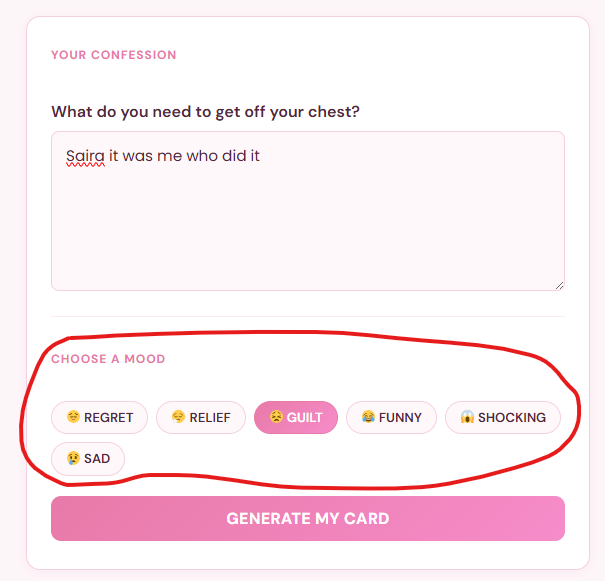
Six mood options sit below the text area. Each one applies a different colour theme to your card:
- 😔 Regret — deep navy gradient for confessions about things you wish you had done differently
- 😮💨 Relief — teal to green gradient for confessions that feel good to finally say
- 😣 Guilt — dark red gradient for confessions carrying weight and shame
- 😂 Funny — warm orange to yellow gradient for confessions that are more embarrassing than serious
- 😱 Shocking — deep purple gradient for confessions that genuinely surprise
- 😢 Sad — slate blue gradient for confessions rooted in grief or loss
The mood you pick changes nothing about your text. It only changes how the card looks visually.
Step 3 — Generate Your Card

Hit the Generate My Card button. The preview locks in with your final text and chosen mood. The card is now ready to download or share.
Step 4 — Download Your Card
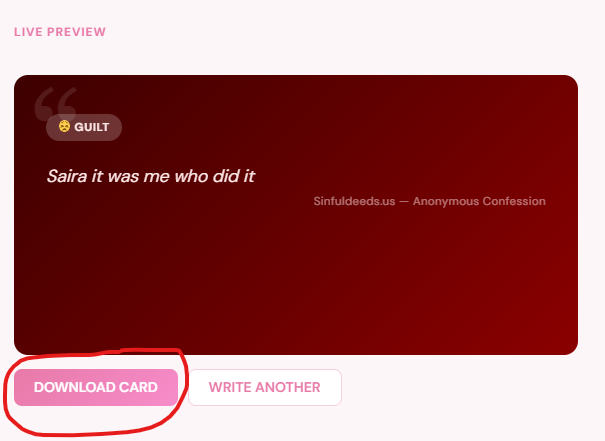
Click the Download Card. The tool renders your confession onto a 900 by 500 pixel canvas with the gradient background, large quotation mark watermark, your text in italic, and the Sinfuldeeds anonymous confession branding at the bottom. The file saves directly to your device as a PNG.
Step 5 — Share or Keep
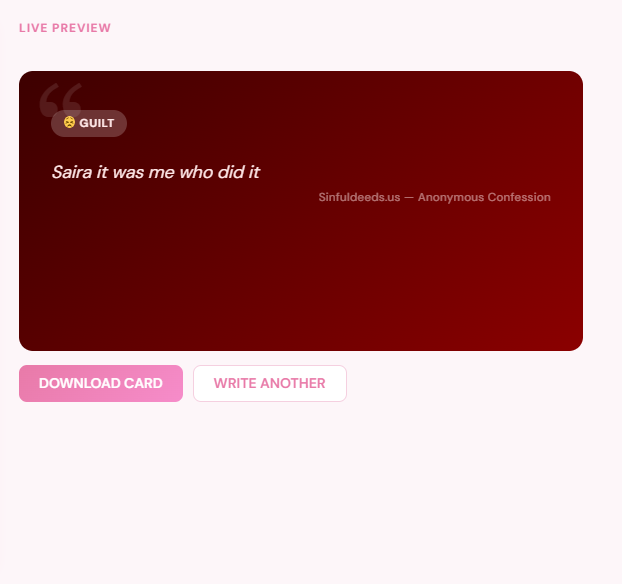
The downloaded card is yours to do whatever you want with. Share it on social media, send it in a message, post it anonymously on a forum, or keep it privately. The card contains no hidden data connecting it to your identity or device. If you want yo learn more about the safety and anonymity of this tool check our sinfuldeeds safety guide.
The Live Preview Feature

The preview panel updates in real time as you type. You do not need to hit generate to see what your card will look like. This means you can adjust your wording, try different moods, and refine how the card reads before committing to a final version.
Switching between moods while typing updates the preview colour scheme immediately. The text stays the same while the visual theme changes around it making it easy to find the combination that fits what you are trying to express.
What Happens to Your Confession?
Nothing leaves your device until you choose to share it. The generator runs entirely client side using HTML, CSS, and JavaScript loaded in your browser. There is no API call, no server request, and no data transmission involved in generating your card.
The downloaded PNG file is a standard image. It contains the visual content of your card and nothing else. No IP address, no timestamp, no device fingerprint, no browser information embedded in the file metadata.
Writing a Confession That Lands
The most effective confessions on the platform share one characteristic. They are specific rather than vague. A confession that says exactly what happened, how it felt, and why it still matters produces a card that other people connect with. A vague confession produces a card that feels generic.
A few things that make confessions work:
- Specific detail over general statement — “I lied to my best friend about where I was for three years” lands harder than “I was dishonest with someone I care about”
- Present tense feeling — write how it feels now not just what happened then
- One clear thing — confessions that try to cover multiple events lose focus. One specific moment or truth per card
Using Sinfuldeeds on Mobile
The tool is fully mobile responsive. On smaller screens the two column layout collapses to a single column with the input form first and the preview below it. Everything functions the same way on mobile as on desktop including the download feature which saves the PNG directly to your phone’s photo library or downloads folder.
For the best mobile experience use Chrome or Firefox on Android and Safari on iOS. All three handle the canvas based card generation cleanly without display issues.